Products reviews
210
$362.00 to $616.00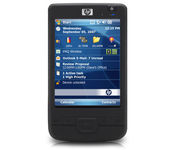
The HP iPAQ 210 Enterprise Handheld -- with the power to run your business applications, a 4-inch touch screen display and 802.11b/g wireless networking -- delivers enterprise-class connectivity so you can mobilize your business and maximize results.
| MPN | FB040AA#ABC |
| Operating System | Microsoft Windows Mobile 6.0 Classic | Processor | 620 MHz Marvell PXA310 | Installed Memory | 128 MB | Screen Size (Diagonal) | 4 inch | Wireless Capabilities | WLAN 802.11b • WLAN 802.11g • Bluetooth | Weight | 6.7 oz. |
| Processor Type | Marvell PXA310 | Processor Speed | 620 MHz | Input Method | Touch Screen | Interface Type | USB • Bluetooth | Security Features | WPA2 security | Expansion Slot | SDIO Slot |
| Display Technology | Color TFT LCD | Screen Resolution | 640 x 480 | Color Depth | 16-bit (64k colors) |
| Audio Output | Headphone Jack • Built in Speaker • 3.5 mm Stereo jack |
| Battery Type | Rechargeable Li-Ion Battery |
| Width | 2.97 in. | Depth | 0.69 in. | Height | 5.27 in. |
| Warranty (List) | 1 Year |
| Cradle type | Mini USB Cradle | UPC | 0883585366156 | Release Date | 5 June, 2008 |
Tags:
210,Tungsten™ E
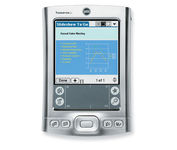
Sleek, powerful and affordably priced, the Palm Tungsten E handheld lets you create and edit Word, Excel and PowerPoint2-compatible files and view them on a high-resolution color screen, even take your MP3s, video clips and photos with you, all with the ease of use you expect from Palm.
iPAQ hx2750
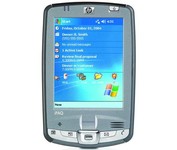
The versatile HP iPAQ hx2750 Pocket PC allows you to maximize personal productivity. It comes equipped with both Integrated Wi-Fi and Bluetooth to enable access to the Internet and email from corporate, home or Wi-Fi hotspots (in select airports, hotels and other public places) and to allow cable-free connections to other devices with Bluetooth wireless technology. The hx2750 incorporates a fingerprint reader in addition to HP ProtectTools software secured by CREDANT Technologies.Minimize
iPAQ 110
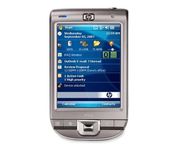
Designed to keep your life in balance, the HP iPAQ 110 Classic Handheld is a sleek, stylish personal organizer and affordable companion to your cell phone. Go online with Wi-Fi and keep your calendar, contacts and tasks up-to-date.
iPAQ rx3115
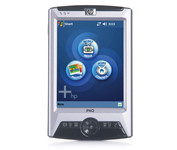
The rx3115 comes equipped with software that lets you manage digital music, photos, and videos on PCs throughout your home via a Wi-Fi wireless network, but it lacks a built-in camera. Its multimedia functionality won't be for everyone, but at the heart of the device is a high-performance PDA with a host of great features. The rx3115 won't be available till the fall.Minimize
